Upload LinkedIn Connections
Upload your connections below and include your first, last and email!
Press Send to Webhook when ready to send.
Drop your ZIP or CSV file here
OR
Here is how you download your connections
NOTE:
You can only do this from a desktop of browser, does not work from the mobile app.
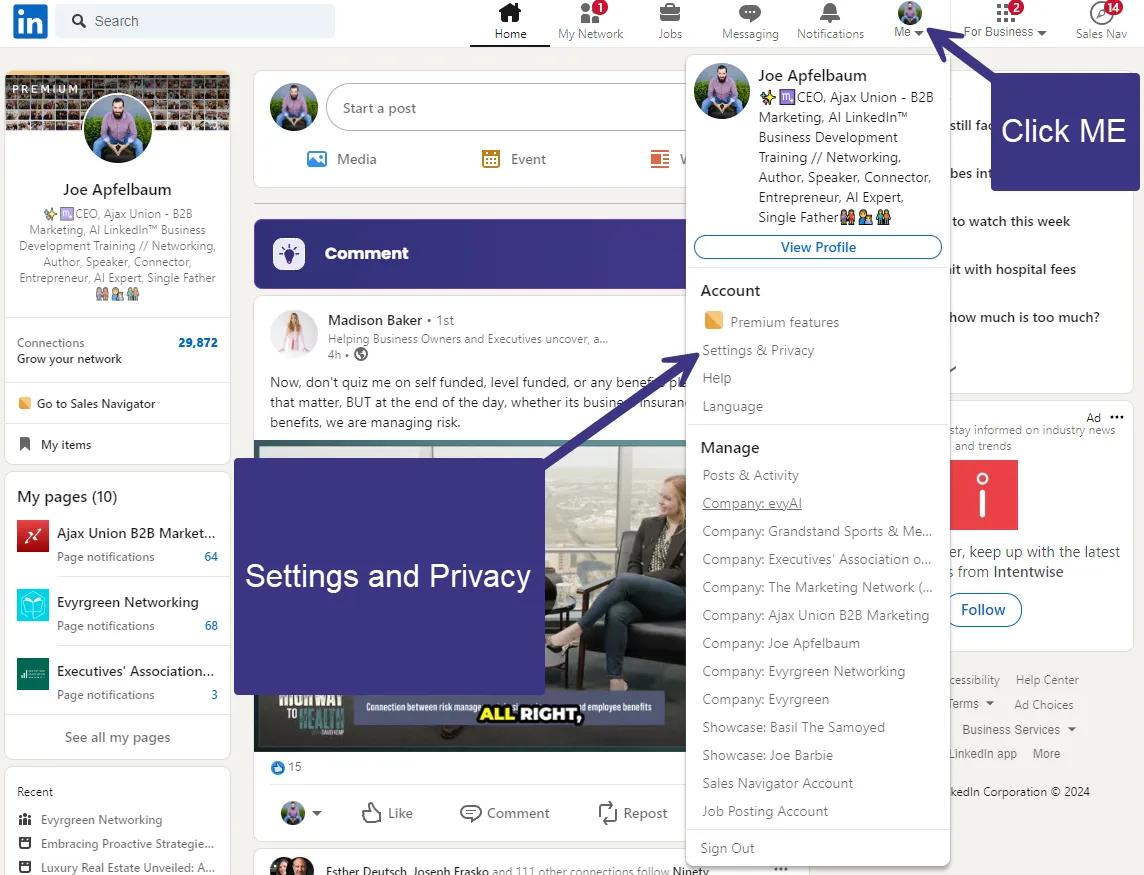
Step 1: Settings and Privacy that is under ME.
Click the ME button and Settings and Privacy.
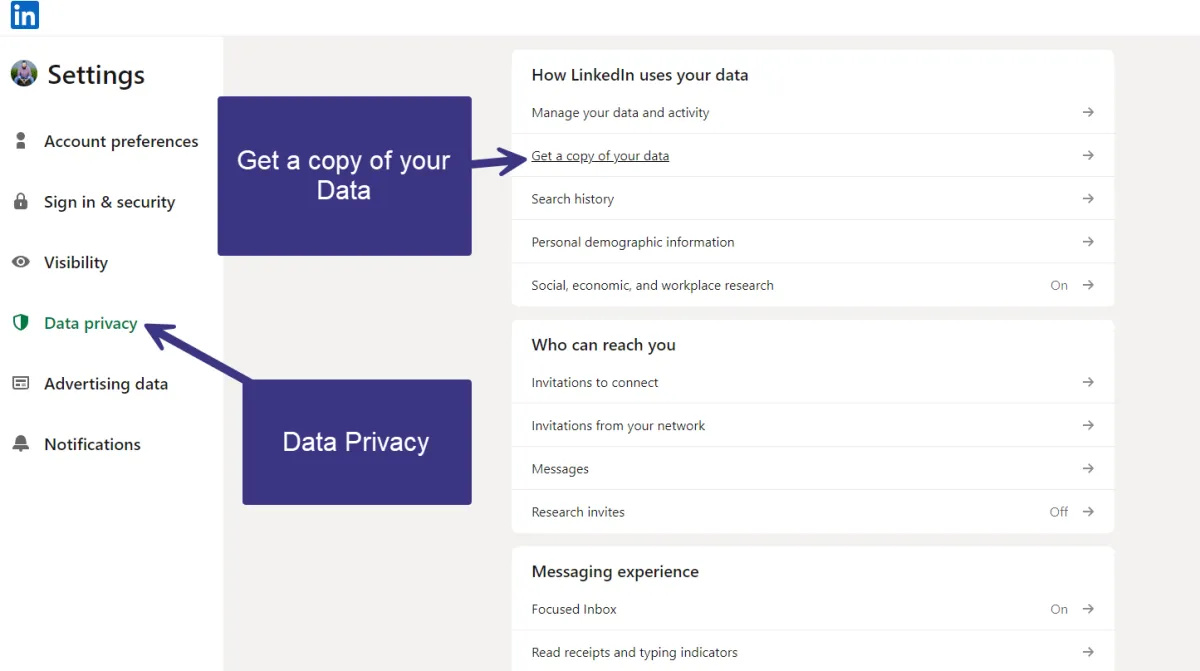
Step 2: Data Privacy + Get a copy of my data
Click data privacy and get a copy of my data
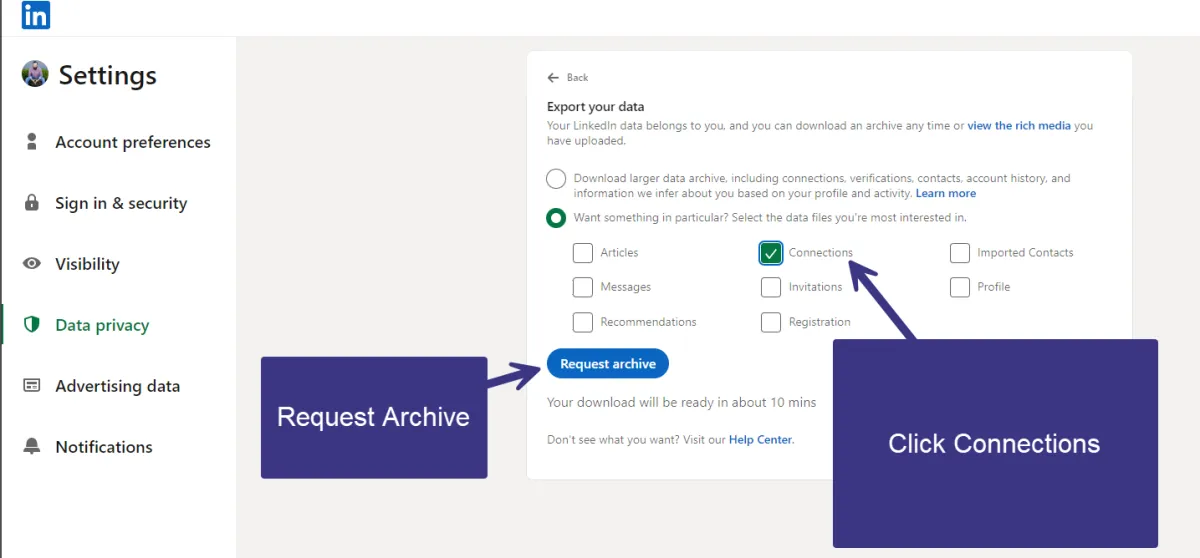
Step 3: Click Connections + Request Archive
Click connections and then click Request Archive
This may take 10-20 minutes depending on how many connections you have. If you have 30k connections it may even take longer.
Here is the direct link:
https://www.linkedin.com/mypreferences/d/download-my-data
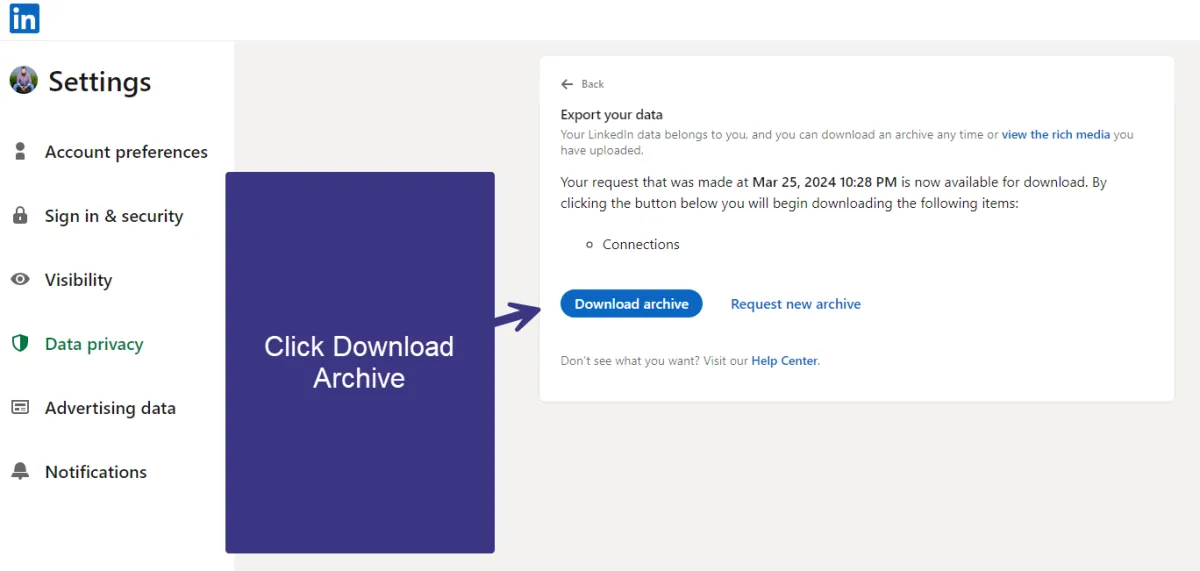
Step 4: Download Archive
Click Dowload Archive